by Marco Paland, May 30
Email Notifications on your Wear OS Watch with the new Mail Provider
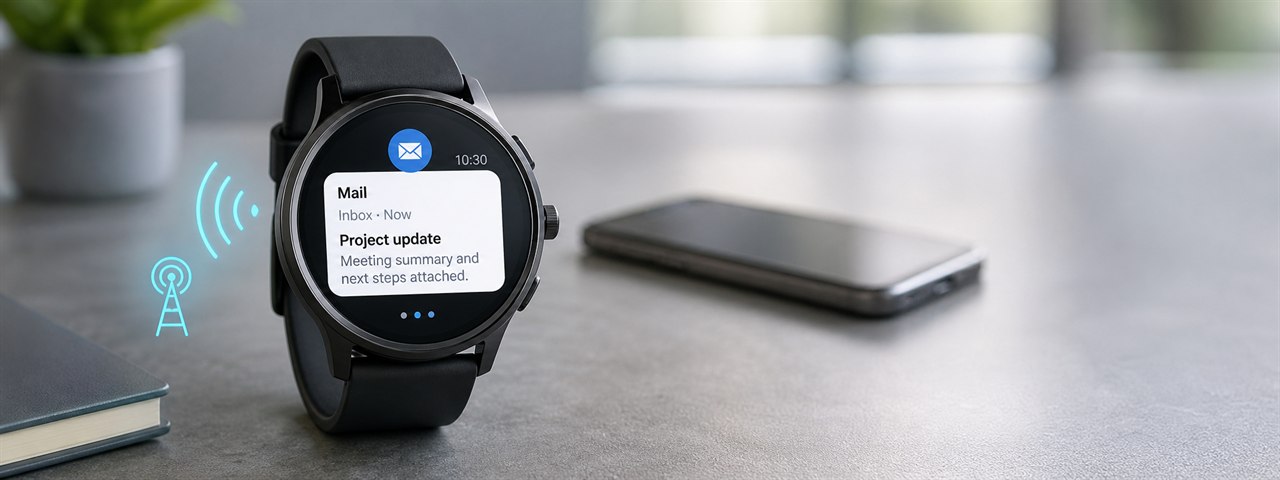
Core 4.4.0 will introduce a completely new Mail Provider for tyckr. This provider brings email directly into the tyckr Core and makes mail notifications available on a Wear OS watch without depending on a companion phone to forward them.
For many users this closes a very practical gap: the watch is on the wrist, the network is available, but the phone notification bridge is not. Maybe the phone is not nearby, maybe it is switched off, maybe it is an iPhone, or maybe the companion setup simply does not forward the messages you need. With Mail Provider, tyckr can check the mailbox itself and show new mail where it matters most: directly on the watch.
Why this matters
Most smartwatch email notifications are mirrored phone notifications. That works fine as long as the phone is connected, the correct app is installed, the operating system allows forwarding, Bluetooth is stable and all notification permissions are still active. As soon as one of these parts is missing, the watch may look connected but important email alerts do not arrive. This is especially visible in mixed setups where a Wear OS watch is used without the usual Android companion workflow, for example when the primary phone is an iPhone or when the phone is intentionally left behind.
Mail Provider takes a different approach. Instead of waiting for another device to forward a notification, the tyckr Core connects to the mail server and checks the inbox directly. It supports the common mail protocols IMAP and POP3, including secure TLS connections. New mail can then be turned into a tyckr notification and displayed with the sender, subject and a cleaned preview of the message text.
Direct email notifications on the watch
The new provider is designed for the quick glance use case. You do not need the full mail client experience on a tiny display. You need to know who wrote, what the subject is, and enough text to decide whether it is important. Mail Provider focuses exactly on that. It extracts the readable text from the mail body, prefers plain text when available, converts HTML mail into clean text when needed, removes empty lines and skips noisy HTML content such as style blocks, tracking links and boilerplate markup.
This is important because modern transactional emails are often HTML-only and include a lot of CSS, tracking pixels, hidden layout tables and long URLs. A normal raw mail preview can easily start with @import, media queries or encoded HTML entities instead of the real message. Mail Provider is built to produce notification text that is useful on a watch, not just technically extracted from a MIME message.
Useful when the phone cannot help
The outstanding advantage is independence from phone notification mirroring. If your Wear OS watch or tyckr Wear OS app has network access, Mail Provider can still check the mailbox even when the companion phone is not part of the notification path. This can be valuable in several everyday situations:
-
You use an iPhone as your main phone but still want selected mail notifications on your Wear OS watch.
-
You leave the phone at the desk, in the car or at home, while the watch remains connected by Wi-Fi or mobile data.
-
Android notification permissions, battery restrictions or companion app settings block normal notification forwarding.
-
You want a stable, server-based signal for important mail instead of relying on a chain of phone app, OS notification and Bluetooth forwarding.
-
You use tyckr as a compact information dashboard and want email to become just another provider-driven data source.
Why the new Mail Provider stands out
Compared to many smartwatch products, Mail Provider is not limited to mirroring what the phone already received. It behaves like a real tyckr data provider. That means the mail state can be integrated into the same Core that already handles weather, MQTT, REST APIs, calendars, timers, sensors and other dynamic information. Email becomes part of the flexible tyckr system instead of being locked inside one phone app.
This makes the feature especially powerful for people who use tyckr professionally or for personal automation. A mailbox can be used as a notification channel for invoices, alerts, server messages, booking confirmations, family mail or anything else that already arrives by email. The watch can show the latest sender and subject, while tyckr keeps the notification stack under control and limits the number of visible messages. When a new mail arrives and the maximum number of mail notifications is already displayed, the oldest one is dismissed first so the newest mail can appear on top in the Android notification stack.
Mail Provider also respects the reality of email. IMAP has unread state and message IDs, POP3 has UIDL identifiers and no read state, and mail bodies can be plain text, HTML or multipart messages with attachments. The provider handles these differences internally so the result is simple for the user: configure the mailbox, enable notifications and let tyckr do the work.
Coming with Core 4.4.0
Mail Provider will arrive with Core 4.4.0 and is another step toward making tyckr independent, flexible and useful on every supported device. It is not only a new mail checker. It is a new way to think about smartwatch notifications: direct, provider-based, configurable and not tied to a companion phone being available at the right moment.
For users who depend on email but do not always have a connected Android phone nearby, this is a major improvement. Your watch can become a more reliable information endpoint, and tyckr can turn email into a clean, readable and glanceable notification source.
Happy tyckring!