Watch Face Builder for Wear OS and Widgets
tyckr is a customizable watch face builder and widget platform for Wear OS and Android. It helps you design informative watch faces and widgets with live data, graphical Facelets, push notifications and automation-friendly data providers.
It supports always-on displays (AOD), a fully customizable ambient mode and is optimized for low power consumption.
The online watch face editor is designed to be easy to use and powerful enough to create complex faces and widgets within minutes. Changes are live reloaded on the device, so no reinstall is needed.
Send Push Notifications to Your Watch or Phone
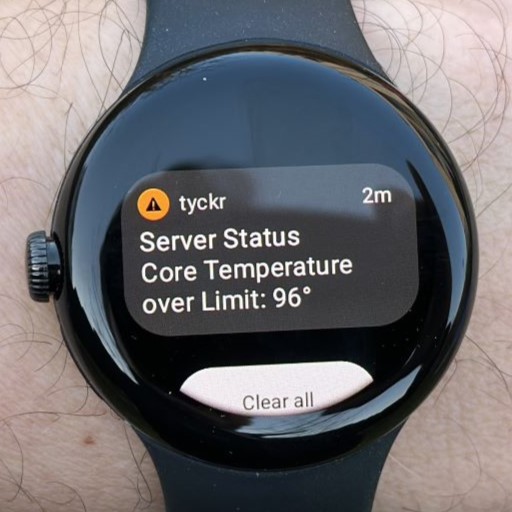 Send Push Messages to your watch or phone by a simple one line API call, try it in the tyckr Push API Demo.
Easily integrate real-time notifications into your systems for seamless connectivity.
Build Custom Watch Faces in the Online Editor
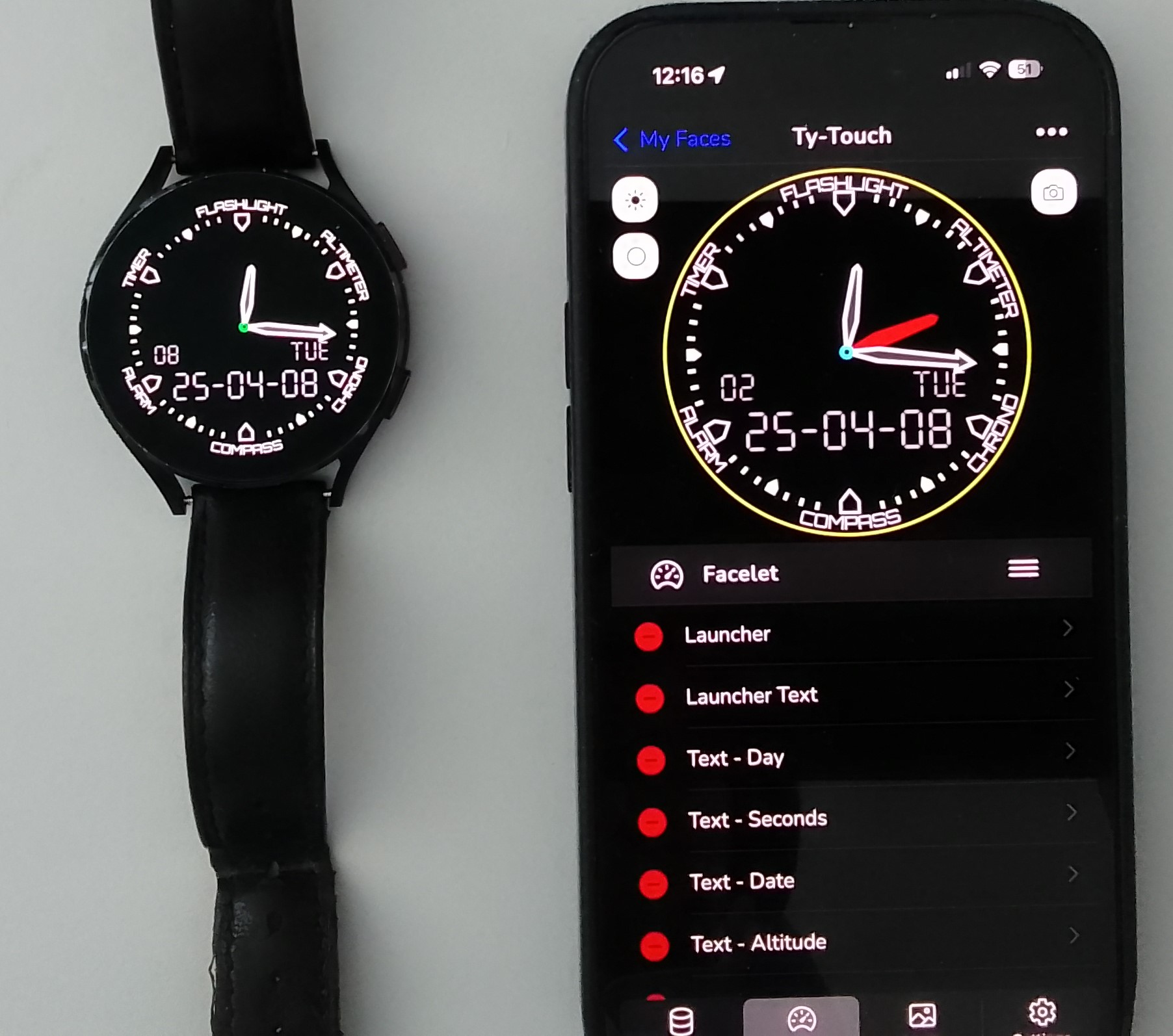 Create, edit and modify watch faces and widgets in the online tyckr editor and publish them to the device immediately via live reload, no installation needed.
Design Watch Faces with Advanced Facelets
-
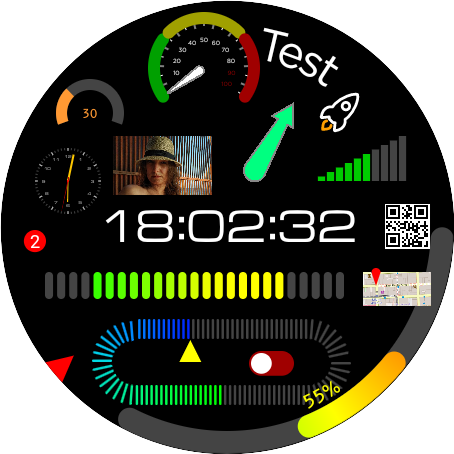
Gauges & Markers: Several options for bars, gauges, linear and circular markers
-
Clocks: Analog and digital clock templates
-
Single Components: Hands, tick marks, dials, badges and more
-
Customization: Icons, text displays, SVG graphics, running tickers, pie and time charts
-
Clear and readability optimized fonts, like the aircraft B612
-
Generate notifications, toasts or play a sound on trigger actions
-
Interactive Elements like buttons and switches to trigger API actions
-
App Launcher for system apps like Flashlight, Timer, Stopwatch or any other app
-
All Facelets support always-on displays (AOD) and ambient mode rendering
-
Well suited for round and square displays
Add Images, Video Streams and Media
-
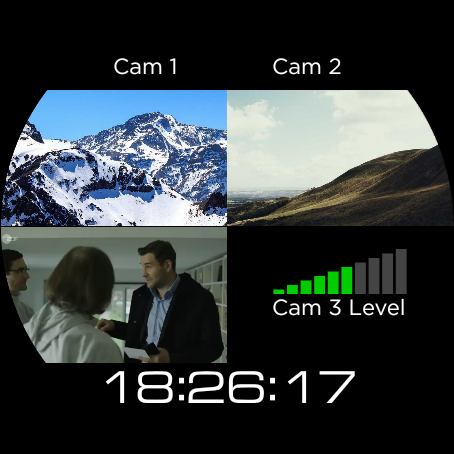
Video stream decoding to monitor web cams or other media sources
-
Image processing to load and display images
-
Upload custom images and play audio files
Connect MQTT, REST APIs, Weather and Device Data
-
Precise Timekeeping: NTP and GPS time sources for accurate time, independent of the system clock
-
Comprehensive Network and IOT Clients: MQTT, REST API, MySQL, Websocket, UDP receiver and Website Scraper
-
Astronomical Calculators: Solar and Lunar infos for any location, high precision Islamic prayer times
-
Geocoding & Geofencing: Transform GPS data to addresses and set geofence triggers
-
Device Integration: Access calendar data, push notifications, alarms and complication data (on watches)
-
Status Checkers: Host or website online checker
-
Lots of Utilities: Data Trigger, Stopwatch, Timer, Duration, Location, Orientation access and Navigation calculation
Display Live Information Sources
-
Precise Weather Conditions: Access realtime data of 5 different weather services (OpenWeather, AccuWeather, WeatherAPI, VisualCrossing, Norwegian Meteorological Institute)
-
Feeds: Monitor your favorite RSS and ATOM feeds
-
Financial Updates: Get the latest Stocks and Cryptocurrency data
-
Health & System Info: Detailed system, environment, body, health and battery infos
-
Connectivity: Essential information about the connection state
-
Data recording: Record and store data for analysis and timeseries display
Enhanced Security
-
All Passwords, Usernames and API parameters are end-to-end encrypted
Transform Data Before It Reaches the Watch Face
-
Advanced Expression Parser to transform raw data into meaningful outputs or colors using several integrated functions and operators
-
Conditional Logic to support If-then-else and ternary operators
-
Data Aggregation: Calculate min, max, average, sum, count and more
-
Low Pass Filter to smooth data values and hold function to emphasize min/max values
Face Sharing
-
Share your Faces with others or copy and modify Faces from the community
Start with the getting started guide, install tyckr from the Android and Wear OS download page, or compare the available tyckr editions. Transform your watch or widget into a powerful, all-in-one Info-Center.